Make Email and/or Phone Information Optional for Your Prospects
Last updated: June 12, 2026
When adding new leads to the system, you can decide how much information you need to qualify a lead. This article will focus on the contact information needed to create a lead. The best practice is to only qualify a lead that has both a phone number and an email available, but your community may decide that one point of contact is enough.
Note: Phone numbers are used for SMS messages in campaigns and emails are invaluable for tour invitations, sending additional information, and as a second point of contact. Think carefully when deciding to create leads with only one point of contact on file.
In this article, we’ll show how you can adjust your lead qualification based on email and phone number acquisition at the community level.
Phone Number and Email Settings
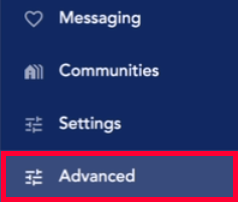
Select Advanced in the left menu.
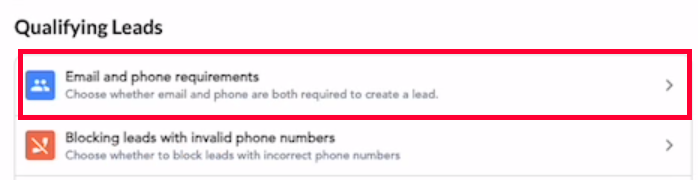
Look for the Qualifying Leads section and click Email and phone requirements.
On the new screen, look for the desired community. You can use the search bar at the top to search by community name or the Status filter to find communities.

To edit settings for an individual community, just click on the community name. To edit multiple communities at once, click the checklist icon at the top of the page.
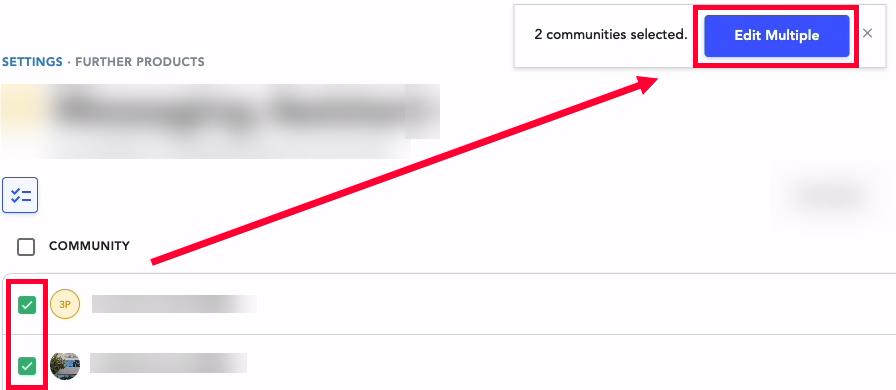
Use the checkboxes to select the desired communities. When you’re done click the Edit Multiple button in the selection popup. To select all communities on the page, click the top checkbox and all will be checked.
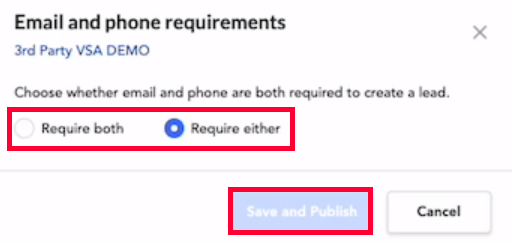
In the new window, you can select if both a phone number and email are required to create a new lead in the system or if either a phone number or an email is sufficient to create a lead. Click Save and Publish when you’re done.