Calendar Assistant For Tour and Call Scheduling
Last updated: June 12, 2026
One of the most frustrating paradoxes for Senior Living Sales and Marketing professionals is that the thing most likely to make prospects move in is the most difficult thing to get them to do.
When prospects visit communities, there is a very high chance they decide to move in as they see the value provided. However, getting prospects to visit a building is extremely difficult across the industry with only 2 out of every 1000 prospects visiting a website scheduling a tour.
Further sees this 0.2% conversion number as one of the biggest levers in the sales and marketing funnel to help Senior Living Operators and Owners hit their occupancy numbers.
Further's Calendar Assistant is designed to maximize the number of tours and phone calls that take place in a community. By syncing directly with your sales team's calendar this eliminates the unnecessary back-and-forth emails, missed phone calls, and possible miscommunications that typically go into scheduling. Furthermore, the automated notifications, branded calendar invites, and rescheduling add small amounts of additional performance across the board. Experience the evolution of scheduling — where clarity, convenience, and connection come together.
Value Proposition
- Effortless Prospect Scheduling: Eliminate manual coordination hassles with our Calendar Assistant. Directly send calendar invites from your work email, reducing time-consuming email exchanges. Even set custom rules, such as "no tours after 5 pm," for tailored calendar management. All of this empowers you to dedicate more time to nurturing connections with your prospects.
- Real-Time Scheduling Availability: Take your scheduling to the next level by connecting your calendar to show prospects your real-time availability. With this feature, prospects can easily see when you're free and select a time that works best for them. It's a win-win situation, as you save time by avoiding scheduling conflicts, and prospects appreciate the convenience of choosing a time that suits their schedule.
- Hassle-free Tour Invites: Automatically include directions and the tour start time in the calendar invite. We even provide tour reminders within the invite, ensuring that prospects have all the information they need at their fingertips. This reduces the chances of no-shows and last-minute confusion. Impress your prospects from the get-go with a seamless pre-tour experience.
- Efficiently Manage Multiple Calendars: If you're part of a sales team with multiple members, our Calendar Assistant has got you covered. You can support multiple calendars within the same community, even for the same person, making it easy to coordinate tours for different members of the sales team. Stay organized, prevent double bookings, and ensure a smooth experience for both your team and prospects.
How it Works
Our Calendar Assistant product simplifies the management of tour and phone call requests from prospects by seamlessly connecting with your work calendar.
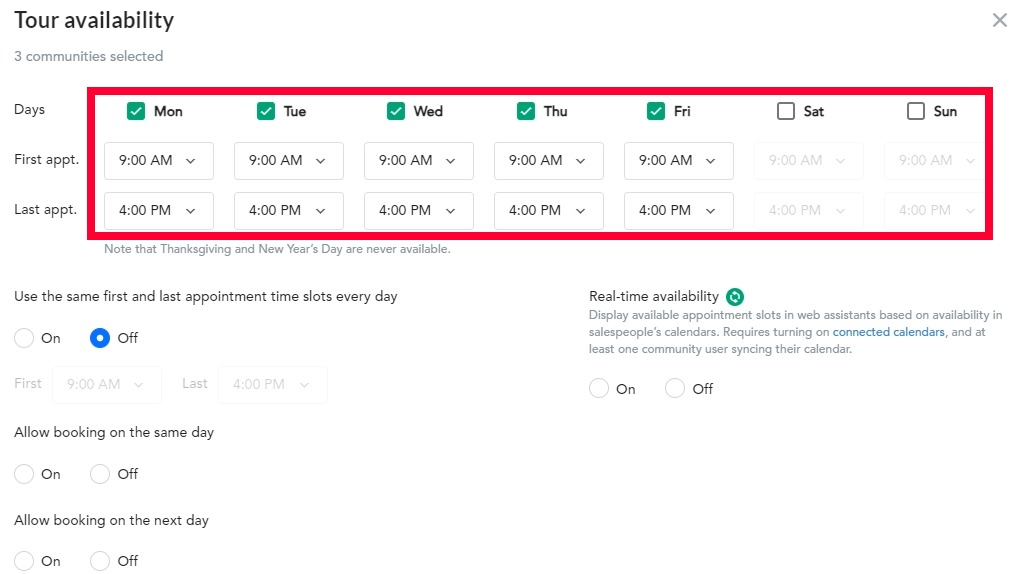
To start, we provide custom rules for your working hours. This empowers you to define specific booking windows during the day in which you'd like tours to be scheduled, ensuring that your sales team and prospects can easily connect.
Custom rules make it simple to manage your work hours
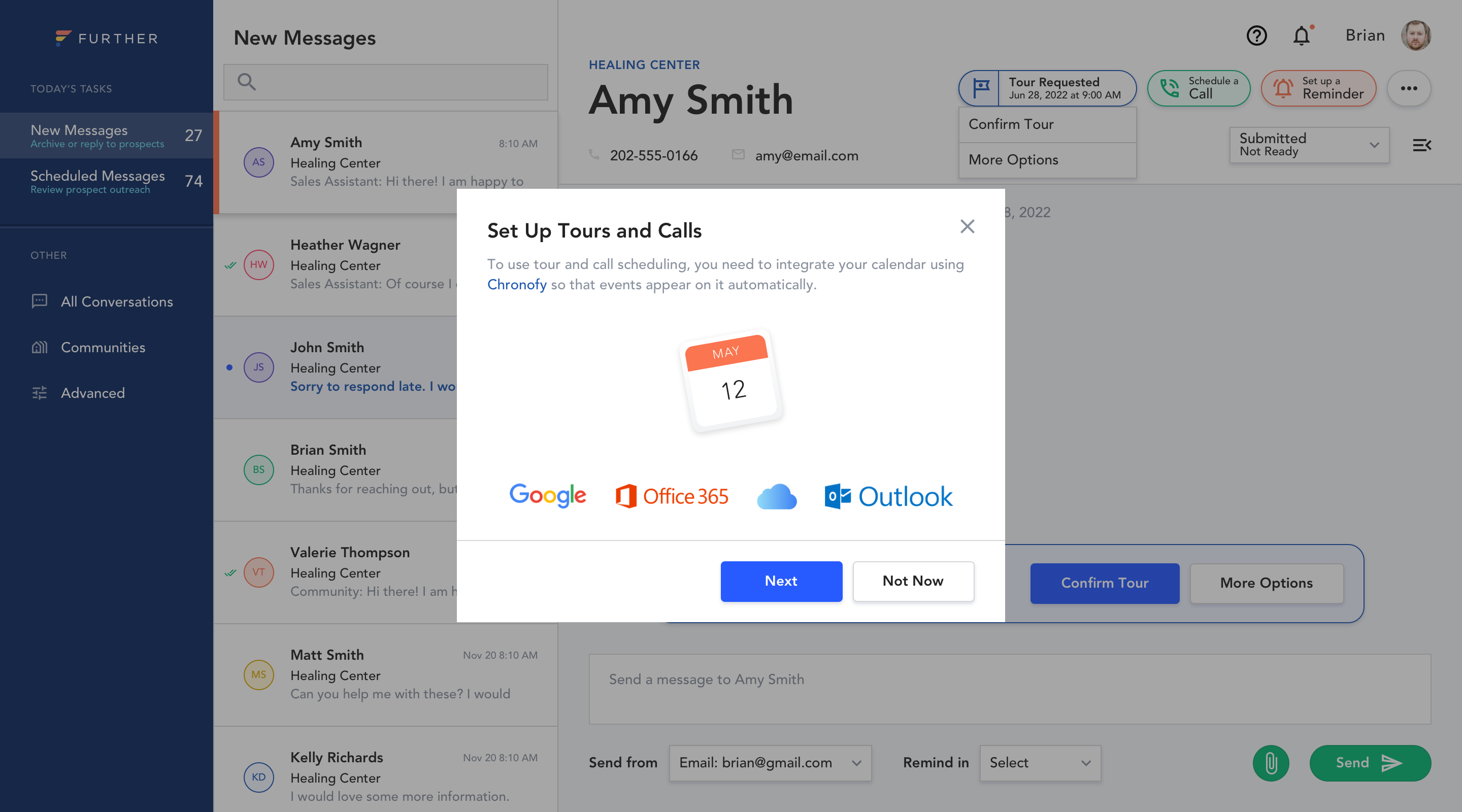
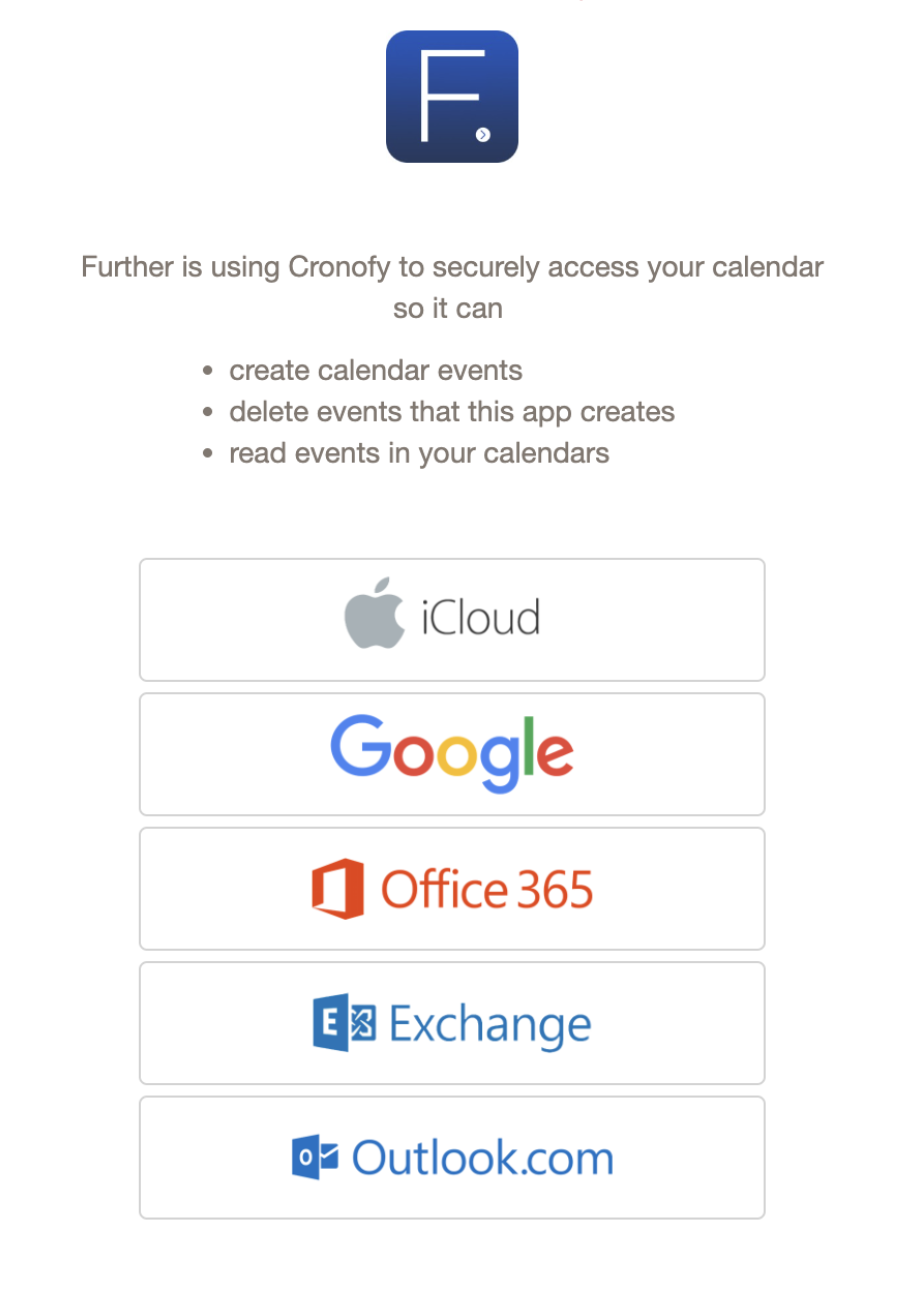
We also have a default calendar integration for all client accounts that seamlessly works with all major calendar providers such as Office 365, Outlook, Exchange, and Google Calendar. Your sales team just needs to go through a quick calendar connection process. This enables your sales team to easily accept calendar invites and have them automatically added to their calendar. Additionally, invites are sent from your sales team's work email address to the prospect's calendar.
For an enhanced experience, we provide an advanced calendar integration option that displays your real-time calendar availability. This way, prospects are only presented with available time slots that are free on their calendar.
Easily connect your calendar on the Conversations Dashboard
Easy calendar syncing
Once setup is complete, there are four ways to schedule a tour or phone call on their calendar: 1) through a prospect requesting a tour or call via the Virtual Sales Assistant, Conversational Webform, or Phone Assistant, 2) by a salesperson extending an invitation to the prospect, or 3) via a Messaging Assistant team member (note: this is only an option if the Messaging Assistant service is active for your communities).
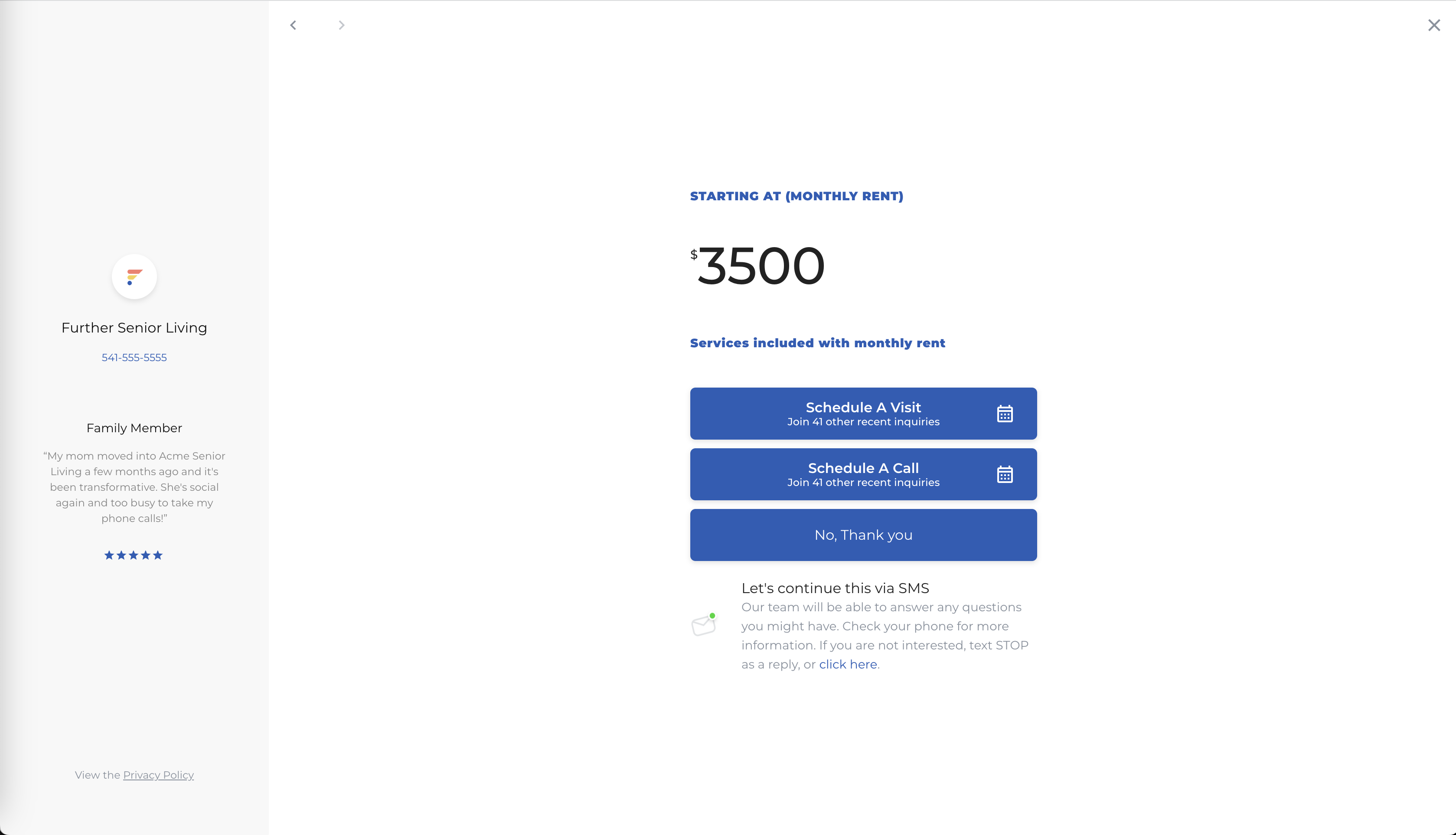
Let's delve into the example of when a prospect schedules a tour using the Conversational Webform (CW). The prospect will navigate through the CW, click on "Schedule a Visit," and pick a tour time.
Prospects will have the option to schedule a tour or a call
Once they’ve selected an option to tour or call, they’ll be able to select a date and time
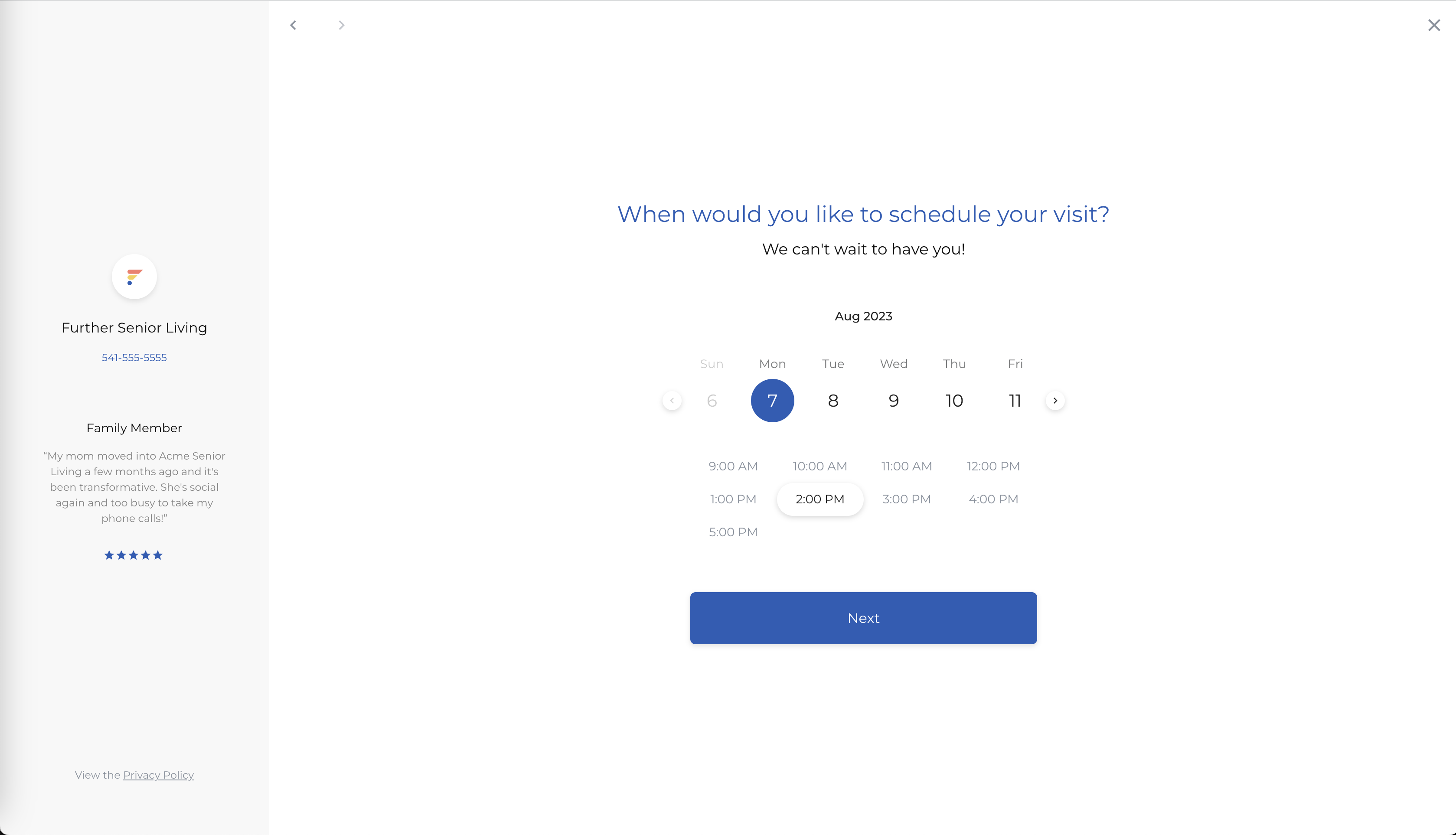
After the prospect submits a tour or call request, the sales team will be notified via email.
The sales team will receive a “Tour Requested” email
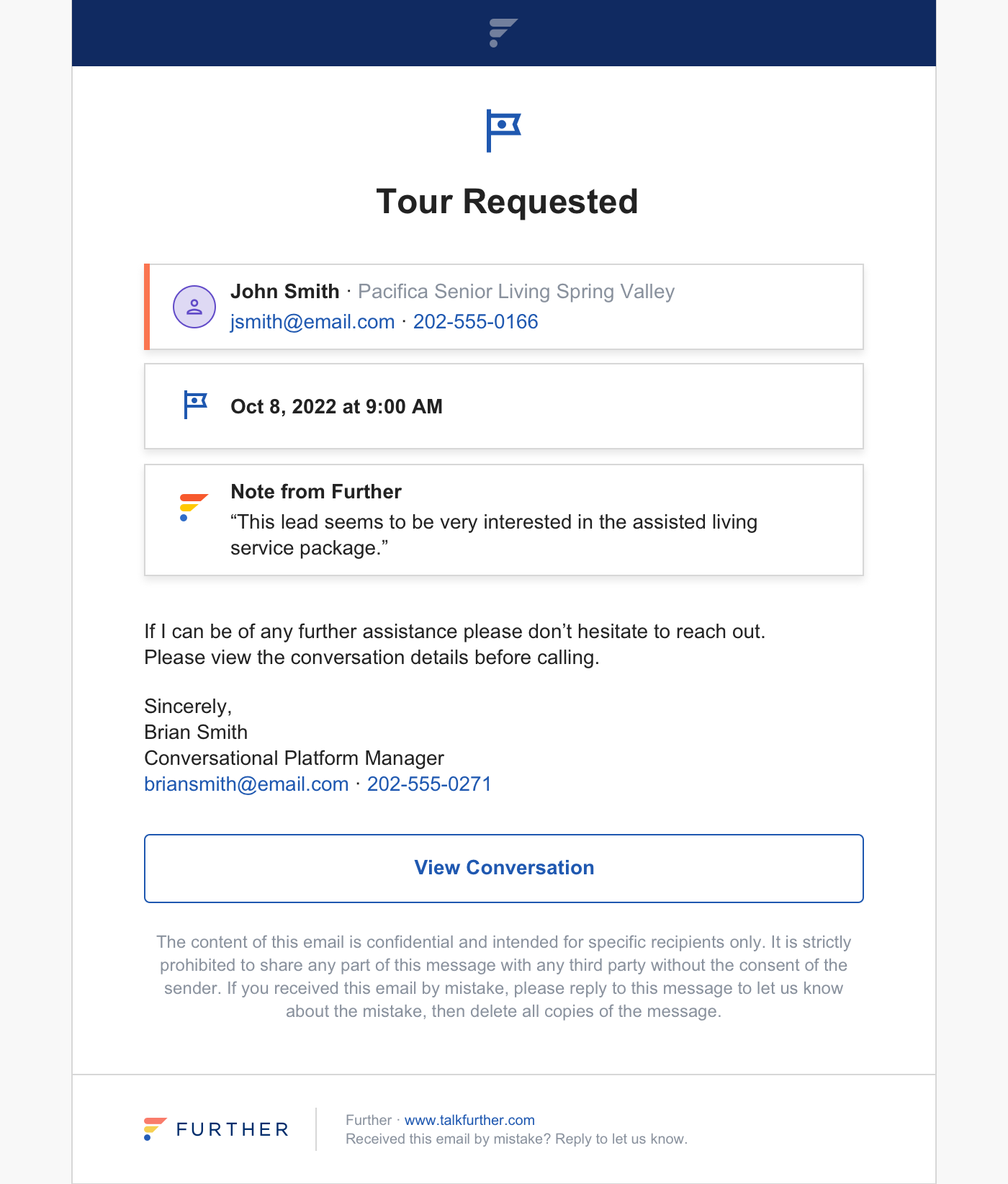
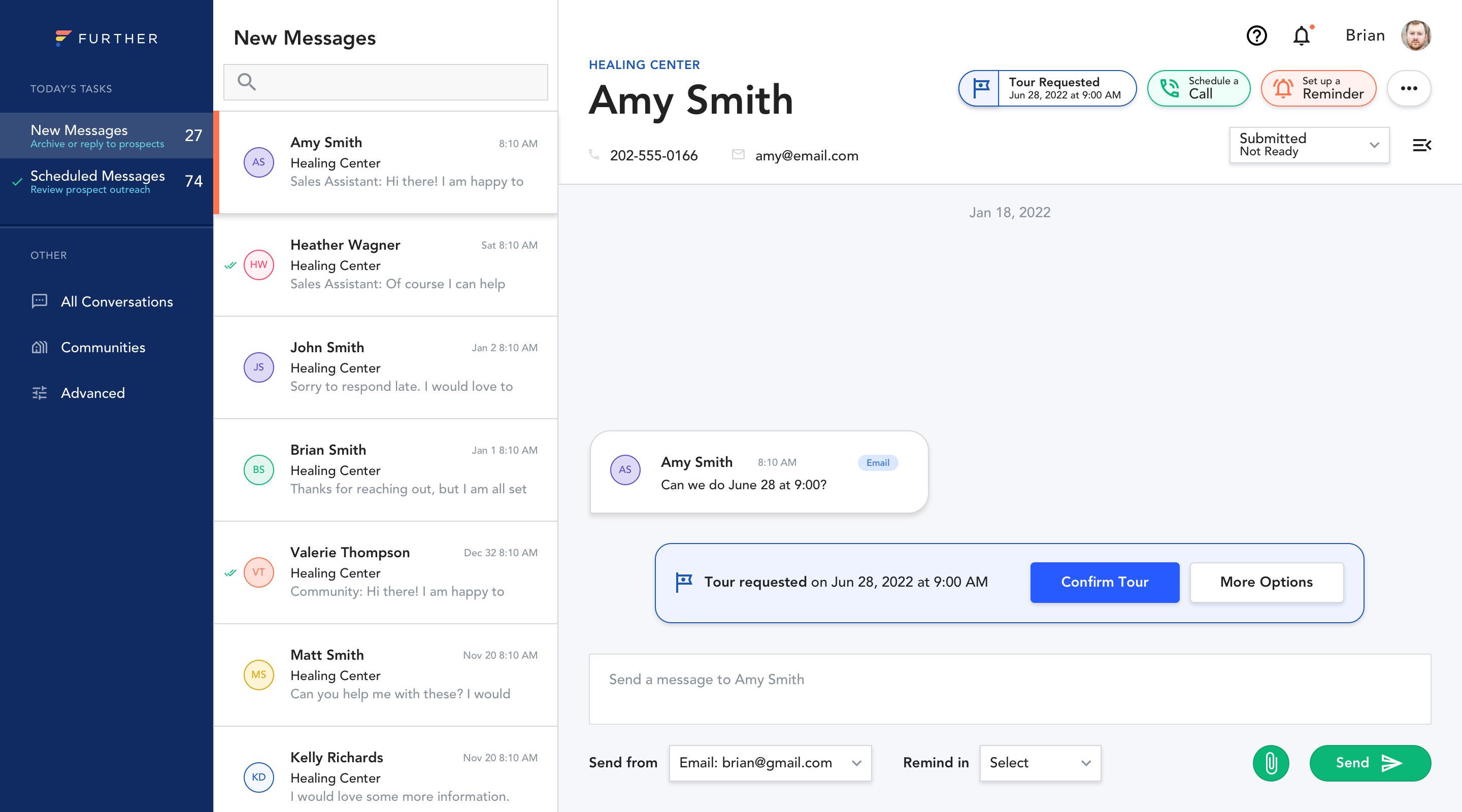
By clicking on the View Conversation button in the email, the salesperson will be taken to the Conversation Dashboard to confirm the tour.
Easily Confirm Tour on the Conversation Dashboard
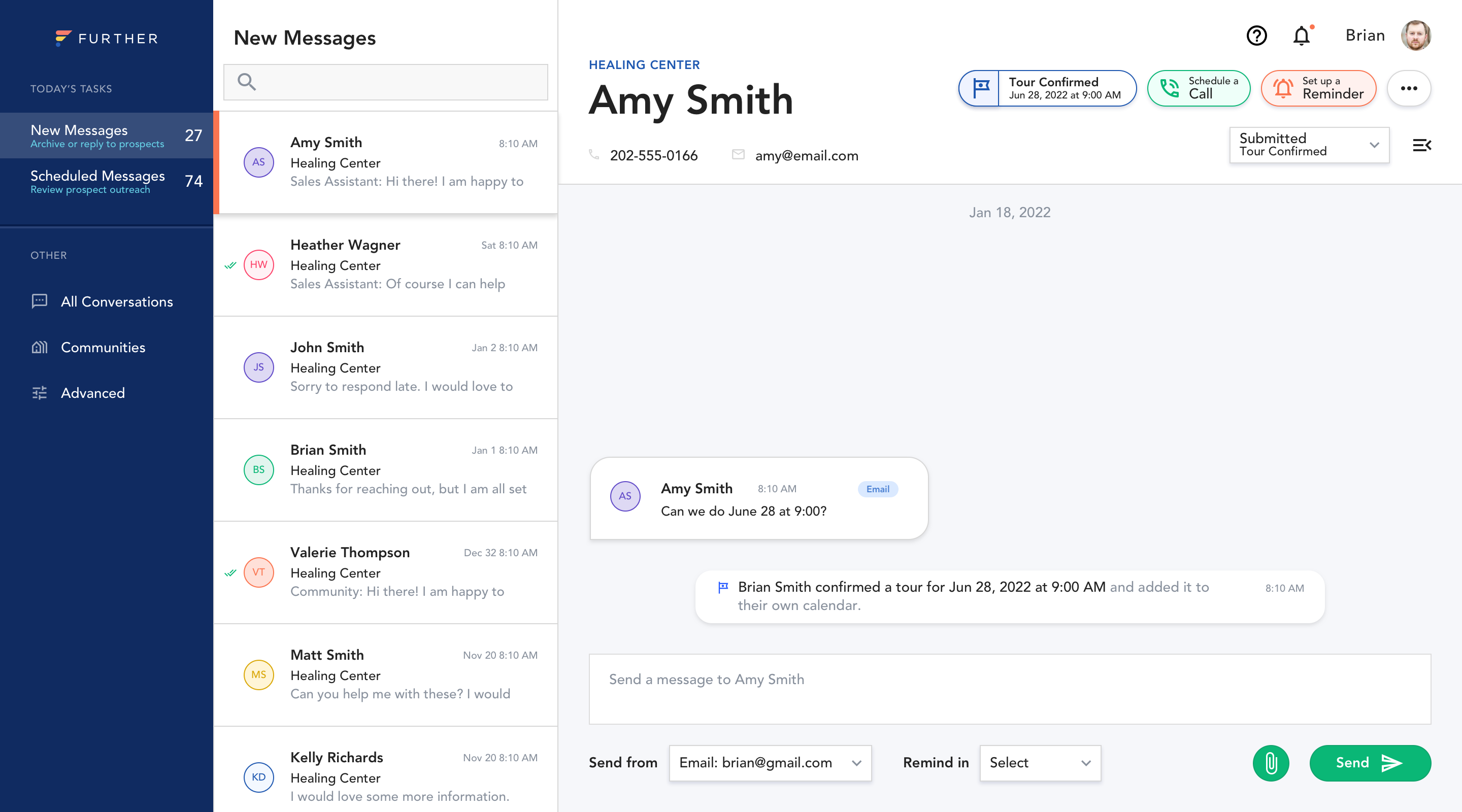
Once confirmed, the salesperson will see a confirmation on the Conversation Dashboard. They will also find a tour appointment on their synced calendar.
Tour confirmation on the Conversation Dashboard
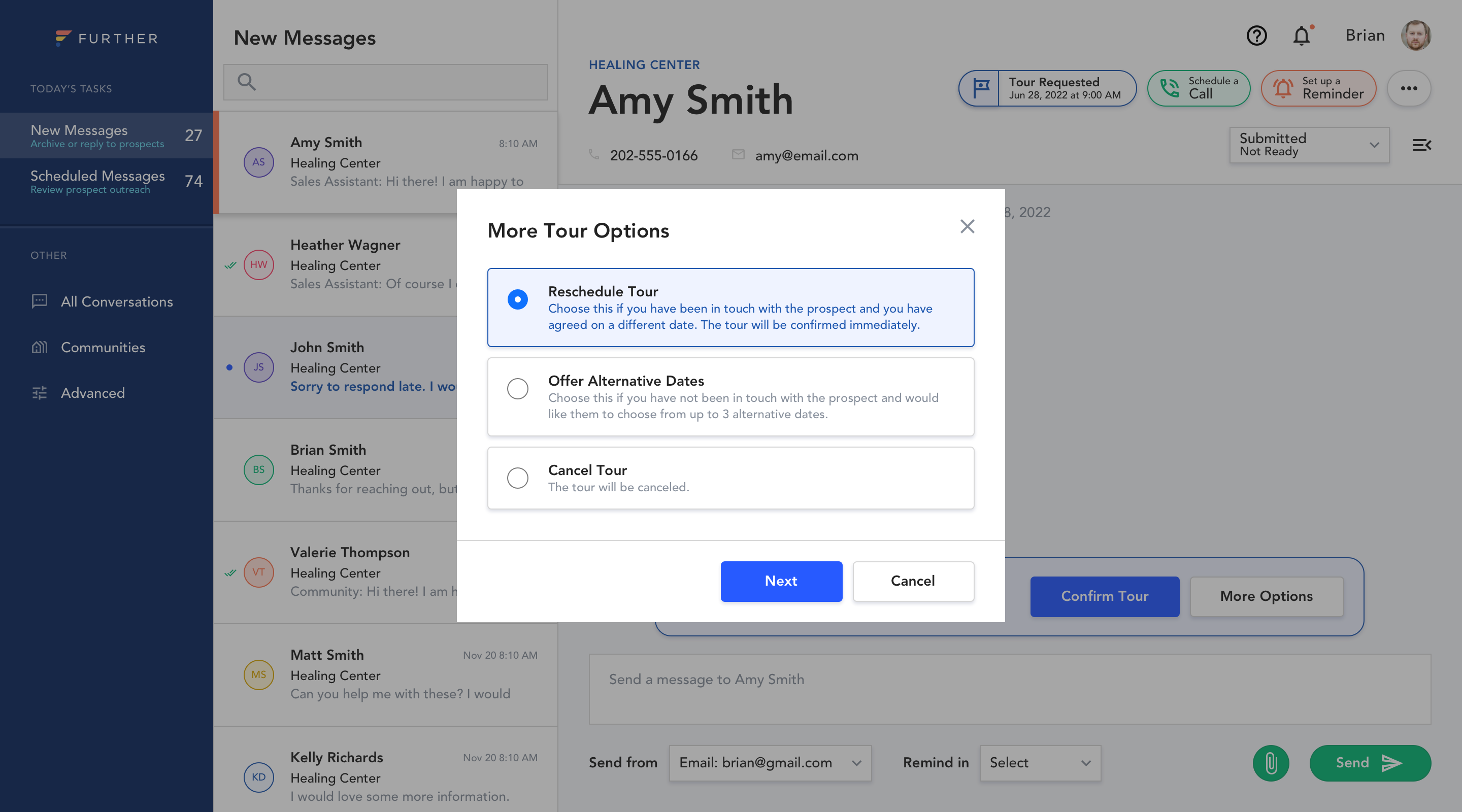
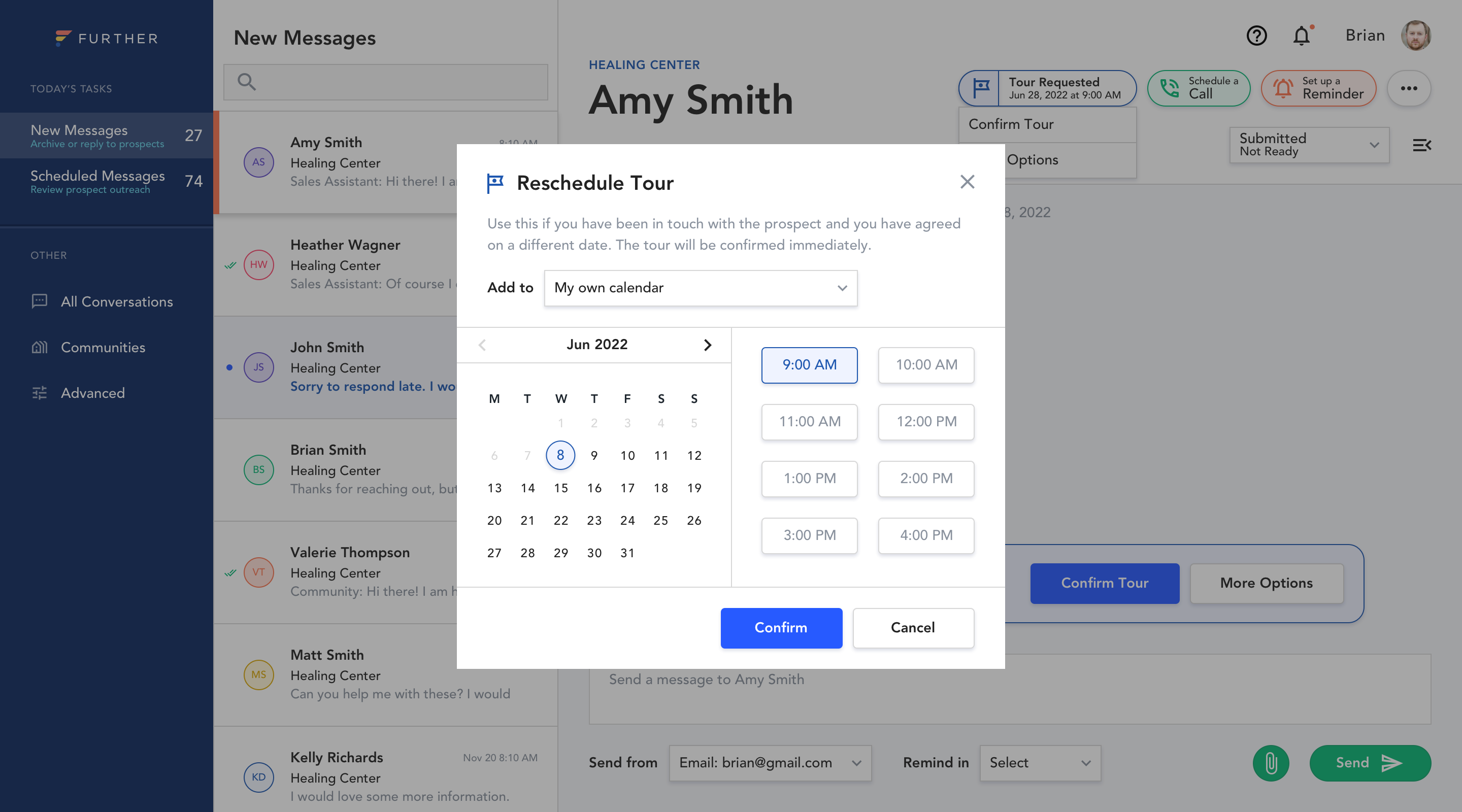
If the proposed tour time doesn't fit the salesperson's availability, they can always click More Options to easily and quickly reschedule with the prospect.
Access the "Reschedule Tour" option from the "More Tour Options" modal.
Easily select a new tour date and time in the “Reschedule Tour” module
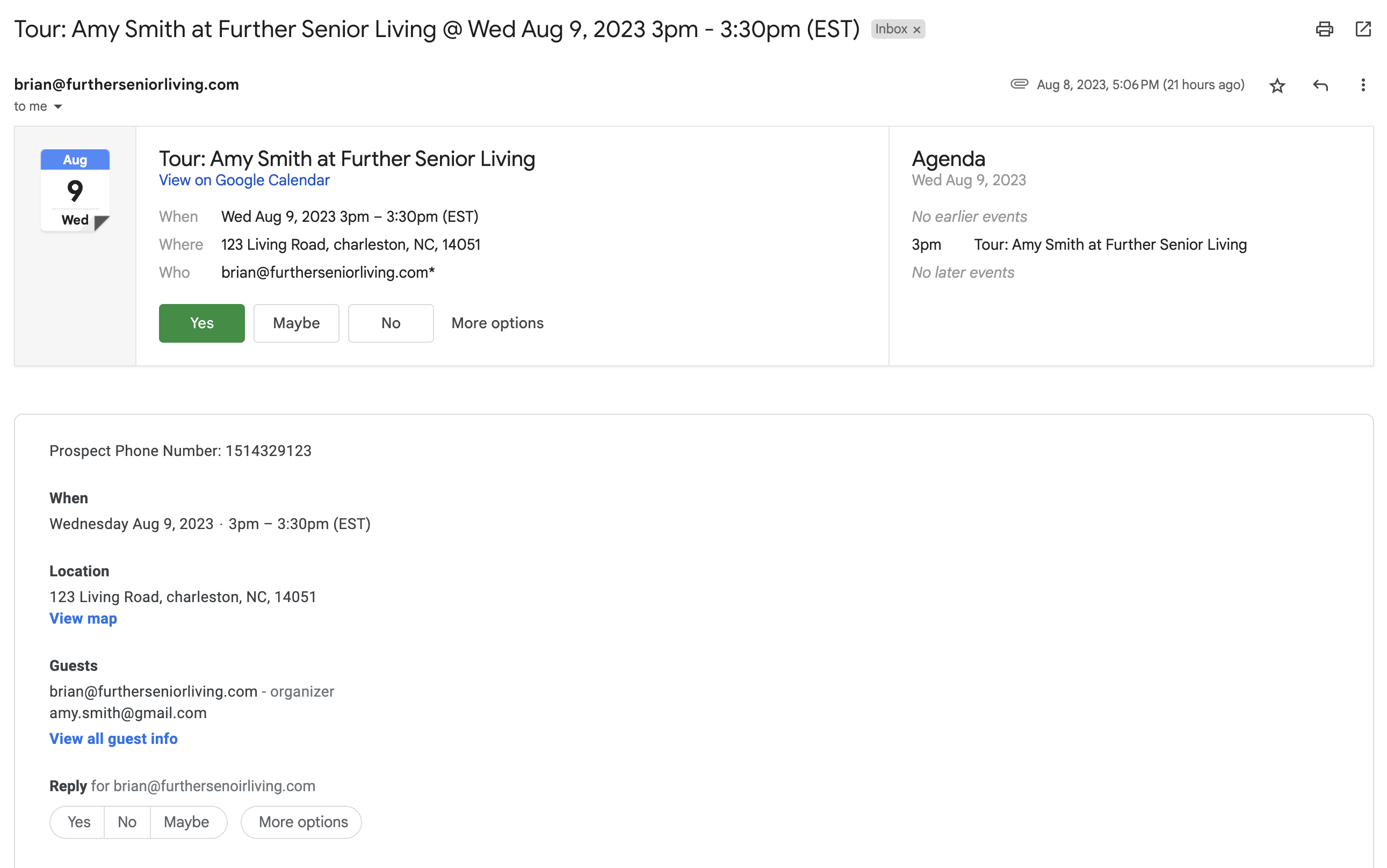
As a final step, the prospect will receive a calendar appointment email, enabling them to easily accept the invite and add the tour to their calendar.
The Prospect's tour invitation email
In closing
At Further, we believe scheduling should be quick, simple, and tailored to your needs. Our Calendar Assistant tool empowers you to effortlessly manage your appointments, streamline communication, and leave a lasting positive impression on your leads. Say “goodbye” to scheduling headaches and “hello” to a more efficient and engaging booking experience.
To get started with Calendar Assistant, please reach out to your Further Customer Success Manager or support@talkfurther.com today.